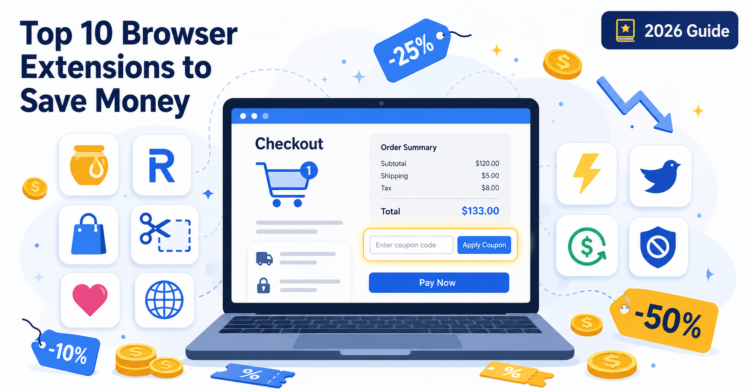
Top 10 Browser Extensions That Help You Save Money Online (2026 Honest Guide)
Last updated: April 2026 — by Mahmoud Hassan
Online shopping in 2026 is smarter, faster, and far more competitive — but only if you let the right tools do the heavy lifting. Browser extensions can automatically apply coupon codes, compare prices across retailers, alert you to drops, and even pay you cashback on purchases you were already going to make.
This guide goes beyond the typical list. We cover the 10 best money-saving browser extensions, but we also explain how they actually work, how they make money from your purchases, and the privacy and security risks you should weigh before installing any of them. The goal: help you save the most money with the least exposure.
1. How Money-Saving Browser Extensions Work
Most coupon and cashback extensions follow the same three-step mechanism behind the scenes:
- Detection: When you land on a checkout page of a supported store (e.g., Amazon, Nike, AliExpress), the extension recognizes the URL pattern and the checkout form.
- Code testing: It pulls a list of coupon codes from its database and rapidly tries each one in the promo code field, keeping the one that produces the largest discount.
- Affiliate attribution: If you complete the purchase, the extension drops an affiliate cookie linking your order to its tracking ID — which is how it earns a commission from the retailer.
Cashback extensions add a fourth step: a portion of that commission is shared with you as cashback, paid out to your account once the retailer confirms the order isn’t returned (usually after 30–90 days).
Price-comparison extensions like Capital One Shopping go further — they query other retailers in real time using product identifiers (UPC, ASIN, ISBN) to show you whether the same item is cheaper elsewhere.
2. How These Extensions Make Money From Your Purchases
It’s important to understand the business model — these extensions are not charities, and “free” rarely means free.
The Affiliate Commission Model
When you click through an extension’s coupon button or simply browse a supported store with the extension active, it places an affiliate tracking cookie in your browser. If you buy within the cookie window (typically 24 hours to 30 days), the retailer pays the extension a commission — usually 2% to 15% of your order total.
The “Last-Click Attribution” Issue
Here’s a part most users don’t know: the affiliate cookie that gets credit is usually the last one placed before checkout. This means if you arrived at a store via a blogger’s referral link, a cashback site, or a publisher like Promo Code Sale, the extension can overwrite that attribution just by being active when you check out — even if it didn’t actually find a better coupon for you.
This is sometimes called “affiliate hijacking” or “last-click stealing,” and it has been the subject of investigations and lawsuits across the industry. It’s not illegal, but it’s worth knowing about — especially if you want to support the publishers whose content actually helped you find the deal.
Data Monetization
Some extensions also generate revenue by analyzing aggregated, anonymized shopping data — for example, selling pricing intelligence to brands or market research firms. Always read the privacy policy before installing.
3. Privacy & Security Risks of Browser Extensions
Any browser extension you install has the potential to read or modify the pages you visit. That’s not paranoia — it’s how extensions function. Before installing any tool from this list (or anywhere else), consider the following risks:
🔒 Permission Scope
Coupon extensions typically request permission to “read and change all your data on the websites you visit.” That’s a broad permission, and it’s necessary for them to detect checkout pages and inject coupons — but it also means a compromised or malicious update could, in theory, capture sensitive data.
🕵️ Browsing Data Collection
Most of these extensions collect at least some data on the sites you visit, products you view, and prices you see. Reputable extensions anonymize this data, but the level of detail varies. Always check the extension’s privacy policy and look for an option to opt out of analytics.
⚠️ Extension Hijacking & Ownership Changes
Browser extensions can change hands. A trusted developer may sell their extension to a third party who then injects ads, trackers, or worse. Stick to extensions backed by well-known companies (PayPal, Capital One, Rakuten, etc.) and review extensions periodically — uninstall anything you no longer use.
🛡️ Best Practices Before Installing
- Install only from the official Chrome Web Store, Firefox Add-ons, or Edge Add-ons.
- Verify the developer’s name and reviewer count (millions of users + recent positive reviews is a good signal).
- Check the requested permissions in the extension page — be skeptical of permissions that don’t match the stated purpose.
- Use a separate browser profile for shopping if you handle sensitive work in your main browser.
- Never enter banking, ID, or password information while a brand-new extension is active.
4. The Top 10 Money-Saving Browser Extensions for 2026
1. PayPal Honey — Best Overall Coupon Automation
Owned by PayPal and used by tens of millions worldwide, Honey remains the most recognizable coupon-finding extension.
- Best for: Casual shoppers who want one-click checkout savings.
- Strengths: Auto-applies codes at 30,000+ stores; rewards program (Honey Gold); price tracking on Amazon.
- Watch-outs: Has been criticized for affiliate-attribution practices; coupon coverage on niche stores can be thin.
2. Rakuten Cash Back Button — Best for Pure Cashback
One of the longest-running cashback platforms in the world, with quarterly cash payouts.
- Best for: Shoppers who buy from large mainstream retailers regularly.
- Strengths: Cashback at 3,500+ stores; stacks with most retailer coupons; reliable payouts via PayPal or check.
- Watch-outs: Cashback rates fluctuate; you must wait for the payment cycle to receive funds.
3. Capital One Shopping — Best for Price Comparison
Free for everyone (no Capital One card required), this tool focuses on finding the lowest price across retailers.
- Best for: Big-ticket purchases like electronics, appliances, and travel gear.
- Strengths: Real-time price comparison; auto-applies coupons; price-drop alerts; Amazon competitor finder.
- Watch-outs: Rewards (Shopping Credits) can only be redeemed for gift cards.
4. Coupert — Best Hybrid Coupon + Cashback Extension
A newer entrant that combines automatic coupons, cashback, and price tracking in one lightweight tool.
- Best for: Shoppers who want one extension instead of two or three.
- Strengths: Verified coupon database; cashback paid in “Gold” redeemable as cash; clean interface.
- Watch-outs: Smaller user base than Honey or Rakuten; coverage best in US/UK/EU stores.
5. Karma — Best for Wish-List Price Tracking
Karma flips the model: instead of saving you money at checkout, it helps you wait for the right moment to buy.
- Best for: Patient shoppers planning purchases over weeks or months.
- Strengths: Save items from any store; alerts on price drops and back-in-stock; coupon support layered in.
- Watch-outs: Fewer instant savings; works best when you actually wait.
6. ShopBack — Best for the Middle East & Asia
Strong regional cashback player with deep partnerships across MENA, Singapore, and Australia.
- Best for: Shoppers in the GCC, Egypt, Saudi Arabia, UAE, and Southeast Asia.
- Strengths: Excellent local-store coverage; auto-activates cashback while browsing; mobile app pairs with browser.
- Watch-outs: Country-specific availability — features differ by region.
7. Wethrift — Best for Verified, Tested Coupons
Wethrift specializes in human-verified codes and a fast, low-noise extension that doesn’t hijack the checkout experience.
- Best for: Power shoppers tired of “expired code” failures.
- Strengths: High coupon-success rate; includes cashback and a Wethrift Wallet; minimal popups.
- Watch-outs: Less aggressive than Honey at injecting itself, which some users prefer and others miss.
8. CouponBirds — Best for Global Coupon Coverage
A coupon-first extension with broad international reach and a strong manual-discovery experience.
- Best for: International shoppers who buy across regions.
- Strengths: Massive coupon catalog; instant deal popups; works on lesser-known stores.
- Watch-outs: Coupon quality varies; not all listed codes are verified.
9. TopCashback — Best Cashback Rates
Often pays higher cashback percentages than competitors because it operates on thinner margins.
- Best for: Shoppers willing to compare cashback rates across providers.
- Strengths: 4,000+ retailers; high payout rates; multiple withdrawal methods.
- Watch-outs: Confirmation periods can be long; UI is more utilitarian than competitors.
10. uBlock Origin — The “Indirect Saver”
Not a coupon tool — but installing it can quietly save you more money than several extensions on this list combined.
- Best for: Anyone who’s ever bought something they only saw because of an ad.
- Strengths: Blocks ads, retargeting trackers, and pop-ups; reduces impulse purchases; speeds up browsing.
- Watch-outs: May break some retailer pages — easily fixed by whitelisting.
5. How to Stack Extensions for Maximum Savings
Most shoppers install one extension and stop there — but the real savings come from combining a few that don’t conflict. Here’s a tested stack:
- Start with a verified coupon source — visit Promo Code Sale first to grab any exclusive advertiser code that extensions don’t have.
- Add one cashback extension (Rakuten or TopCashback) — never both at once, since only the last-click cookie counts.
- Add one coupon extension (Honey, Coupert, or Wethrift) — to brute-force test codes at checkout.
- Add Capital One Shopping for price comparison, especially on items above $50.
- Add uBlock Origin to cut down on impulse purchases triggered by retargeting ads.
One important rule: only one cashback extension should be active at checkout. Disable or pause the others, otherwise they fight over the affiliate cookie and you may end up with no cashback at all.
6. Frequently Asked Questions
Are coupon browser extensions safe to install?
The extensions listed in this guide are operated by established companies (PayPal, Capital One, Rakuten, etc.) and are generally considered safe. That said, all browser extensions request broad permissions, so you should install only from official browser stores, review permissions before approving, and uninstall any extension you no longer use.
Do these extensions actually save money, or is it marketing?
They genuinely save money on supported stores, but results vary. On large retailers with active coupon programs, you can save 5%–25% per order. On smaller niche stores, the same extension may find nothing — which is why combining a verified coupon source like Promo Code Sale with an extension produces the best results.
How do free extensions like Honey and Rakuten make money?
They earn affiliate commissions (typically 2%–15% of your order total) from the retailers when you buy through them. Cashback extensions share part of that commission with you. Some also monetize anonymized shopping data.
Can I use multiple coupon extensions at the same time?
You can install multiple, but only one should be active at checkout — especially among cashback extensions — because the last affiliate cookie wins. Best practice: keep one cashback extension active, layer one coupon extension on top, and pause the rest.
Will using an extension cancel a cashback site or blogger’s referral?
Yes, it can. Extensions often replace the previous affiliate cookie at checkout, which means the publisher who originally introduced you to the deal may not get credit. If you want to support a specific blog or publisher, complete the purchase through their link without an active extension overriding it.
Which extension is best for shoppers in Egypt and the Middle East?
ShopBack has the strongest regional coverage in MENA. Coupert and Capital One Shopping also work well for international stores that ship to the region. For exclusive regional codes, Promo Code Sale publishes verified codes for stores active in Egypt, Saudi Arabia, and the UAE.
Do these extensions work on mobile?
Most are desktop browser extensions. Some — like Rakuten, ShopBack, and Capital One Shopping — also have dedicated mobile apps with similar functionality. Mobile browsers (Safari, Chrome on Android) have limited extension support, so apps are the better path on mobile.
7. Final Thoughts
Browser extensions have moved from “nice to have” to genuinely essential for online shopping in 2026. The right combination — a verified coupon source, one cashback extension, one coupon extension, and a price-comparison tool — can quietly save you hundreds of dollars per year on purchases you were going to make anyway.
But savings are only one half of the equation. The other half is protecting your data and supporting the publishers who actually find these deals first. Install thoughtfully, review permissions, and don’t over-stack.
For the latest verified and advertiser-exclusive promo codes — many of which power the very databases these extensions pull from — visit Promo Code Sale. We publish new codes daily, sourced directly from advertisers, with deals you won’t easily find elsewhere.
Happy saving — and shop smart.

No Comments
Leave Comment